AdaL Engineer
AdaL Engineer is an experimental feature and is under active development. Expect rough edges — the default coding agent is the recommended way to work.
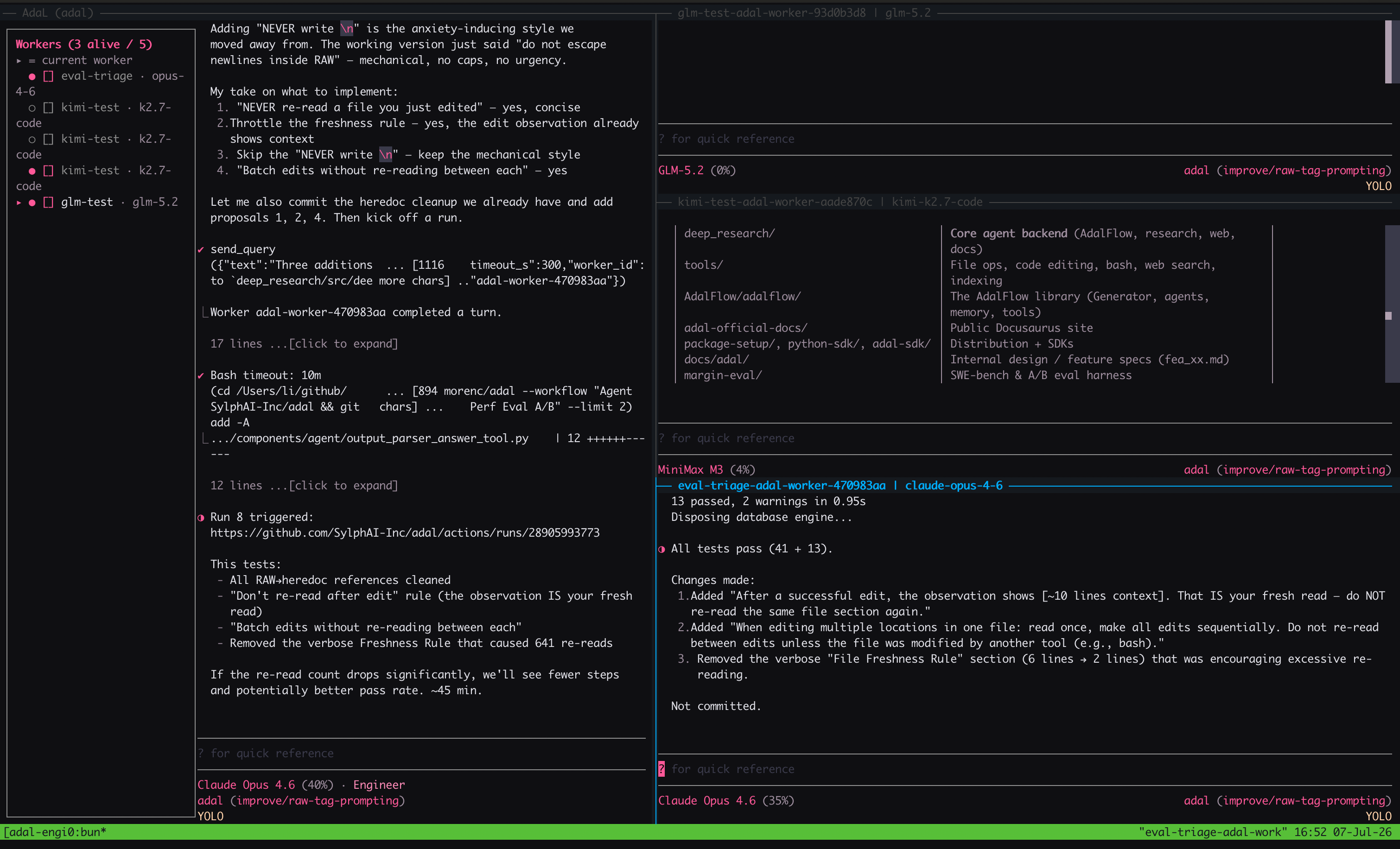
adal --agent-mode engineer
Then describe the task in the prompt. The supervisor will plan, delegate, and report back as workers make progress.
For headless or scripted runs:
adal -q "refactor the auth middleware to use Clerk's session token" --agent-mode engineer
AdaL Engineer is currently available in the CLI only and is not supported in the Desktop app.
Why AdaL Engineer
AdaL Engineer is becoming the default way to work with AdaL. It goes beyond traditional loop engineering by combining a supervisor-worker architecture with parallel delegation — giving you the depth of a senior engineering team at an affordable price.
The goal is simple: make loop engineering accessible to everyone. You describe the work, AdaL plans and executes it across parallel workers, and you review the results. No manual step-by-step prompting, no context switching between tasks.
The future of engineering is here: start your day by defining a few goals, assign them to AdaL Engineers, and shift your focus to the "why" — why this feature matters, what problem it solves for users — while AdaL handles the implementation. Engineers become product thinkers, not ticket executors.
Use it for things like:
- Multi-file refactors across an unfamiliar codebase
- Investigating a bug that spans services or components
- Building a feature end-to-end (plan → implement → test → review)
- Multi-tasking — running several independent tasks in parallel, each handled by its own worker
- Any task where you want AdaL to organize the work, not just respond to one prompt
Safety Notes
AdaL Engineer can run multiple workers in parallel and write to files across your project, so use it thoughtfully.
- Use with caution. Workers may modify files outside the path you mention if the task requires it.
- Prefer working in a git worktree or branch so reviews stay scoped.
- Review the diff before merging — workers optimize for the task, not for minimal changes.
- You are responsible for the actions AdaL Engineer takes on your behalf. AdaL is provided as-is, without warranty of any kind, and AdaL is not liable for any changes AdaL Engineer makes.
For browser-based debugging sessions, see Browser Use. If Browser Use doesn't work, check the Browser Use setup guide for OS-specific installation instructions.
Related: Agents & Modes (/agent) · Headless Mode · Browser Use · Slash Commands
Worktrees
AdaL's worktree tool puts each piece of parallel work in its own isolated checkout — Engineer mode puts a worker in each and merges the results back.
For how worktrees work, the worktrees.toml config, cleanup semantics, and running AdaL in a worktree yourself with native git, see Worktrees.
Running AdaL in a worktree yourself
The worktree tool is agent-only — there is no slash command for it. If you want to run AdaL in a worktree manually, use native git:
git worktree add .agents/worktrees/feature-auth -b worktree-feature-auth
cd .agents/worktrees/feature-auth && adal

git worktree list
git worktree remove .agents/worktrees/feature-auth
Running adal inside a worktree works exactly like running it anywhere else — a worktree is just a directory.